Rmoni device not functioning optimally? We’re happy to help you. These instructions will explain how the RMA (Return Merchandise Authorization) process works and how to submit a request.
When should you request an RMA?
You can submit an RMA request if:
- A device is malfunctioning or damaged
- You suspect a hardware defect
- You have received the wrong item
- You need a product to be inspected by our technical team
How to submit an RMA request
Follow the following steps to submit your RMA request:
- Step 1: Go to RMA request
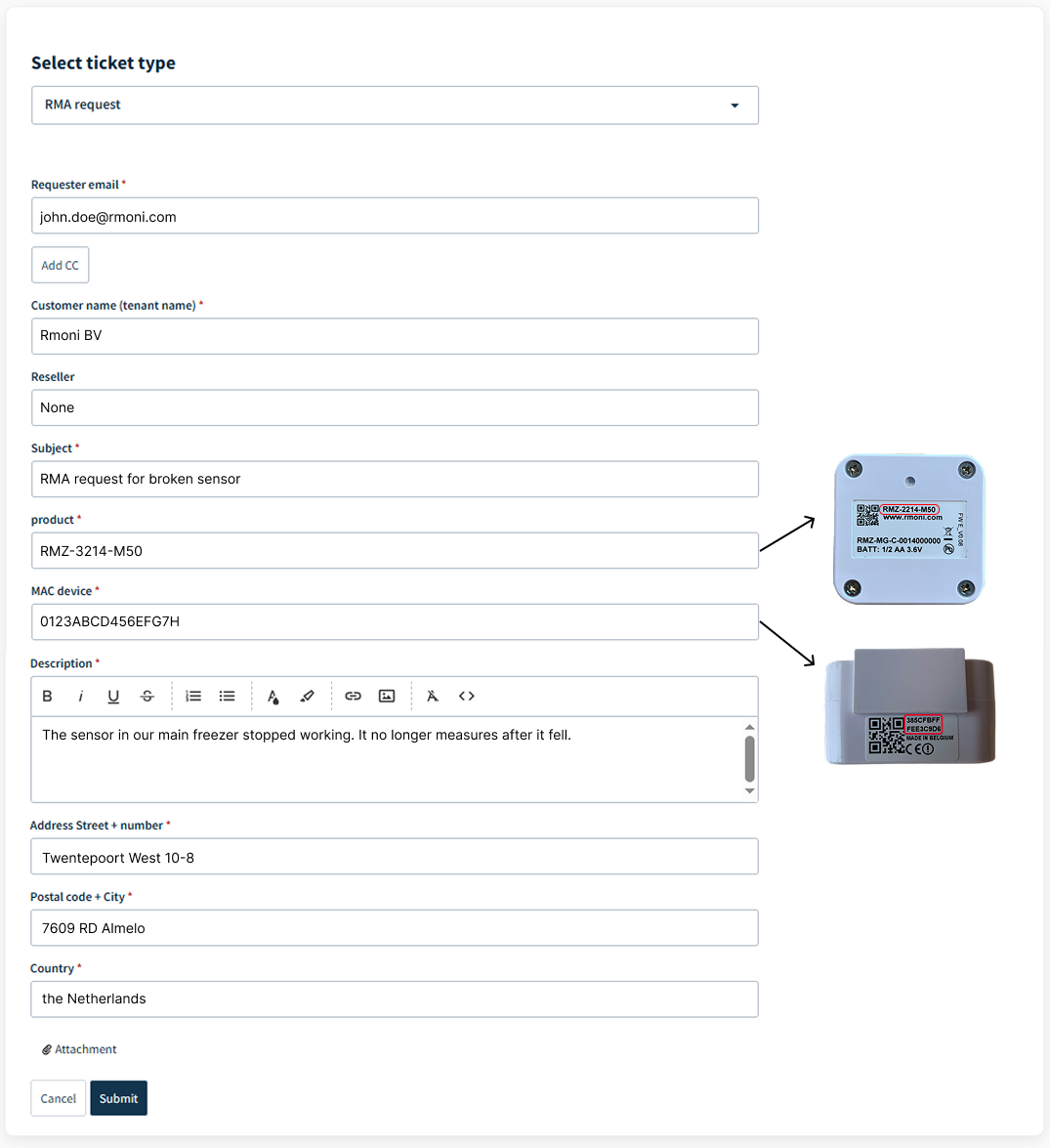
- Step 2: Fill in the required fields and submit the form.
- Step 3: You'll receive a confirmation email with your RMA number and our shipping address.
- Step 4: Ship the device to Rmoni using the provided address.
What happens next?
Once we receive your device, our team inspects it to determine the root cause. We then check whether the issue falls within the warranty terms.
- Within warranty
If the issue is covered by warranty, we repair or replace the device free of charge. No invoice is sent, the device is returned to you as soon as possible.
- Outside warranty
If the issue is not covered by warranty, we send you a quote for the repair costs. You decide whether to proceed, buy a new sensor etcetera. An invoice is only sent after your approval.
Getting back online
Once the repair or replacement is complete, the device is shipped back to you. Simply reconnect it to your network and monitoring resumes automatically.
Not sure what to fill in at step 2? Check out our example form below:
Was this article helpful?
That’s Great!
Thank you for your feedback
Sorry! We couldn't be helpful
Thank you for your feedback
Feedback sent
We appreciate your effort and will try to fix the article